AML & sanctions screening SaaS

An empty result is not a clear result.

Pactuary screens customers and counterparties against sanctions and PEP lists, monitors them after onboarding, watches transactions for known typologies, and keeps every decision ready for an auditor. Built for compliance teams in Türkiye.

An independent product by Burak Esenoglu. Screens show a synthetic demo bank.

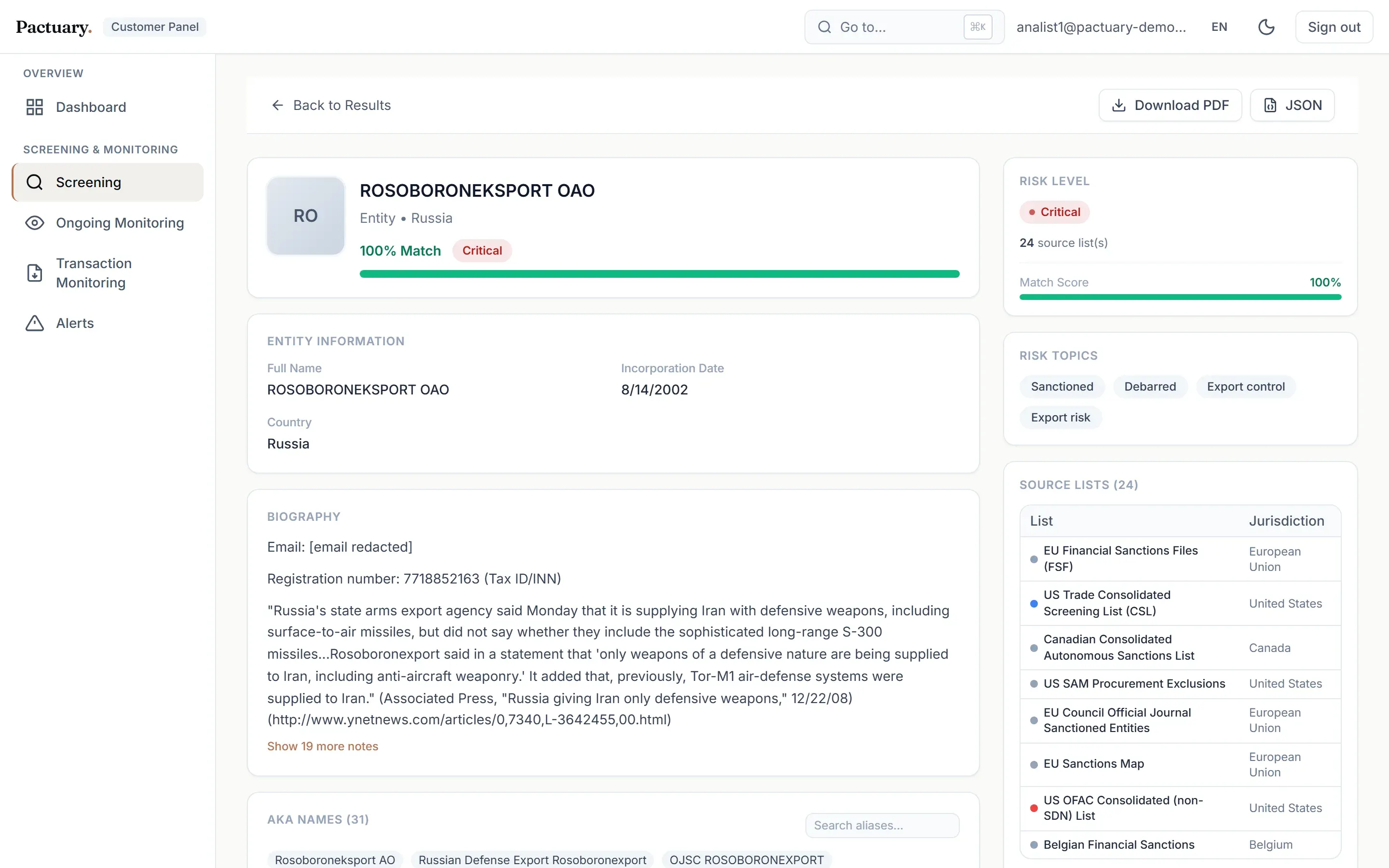
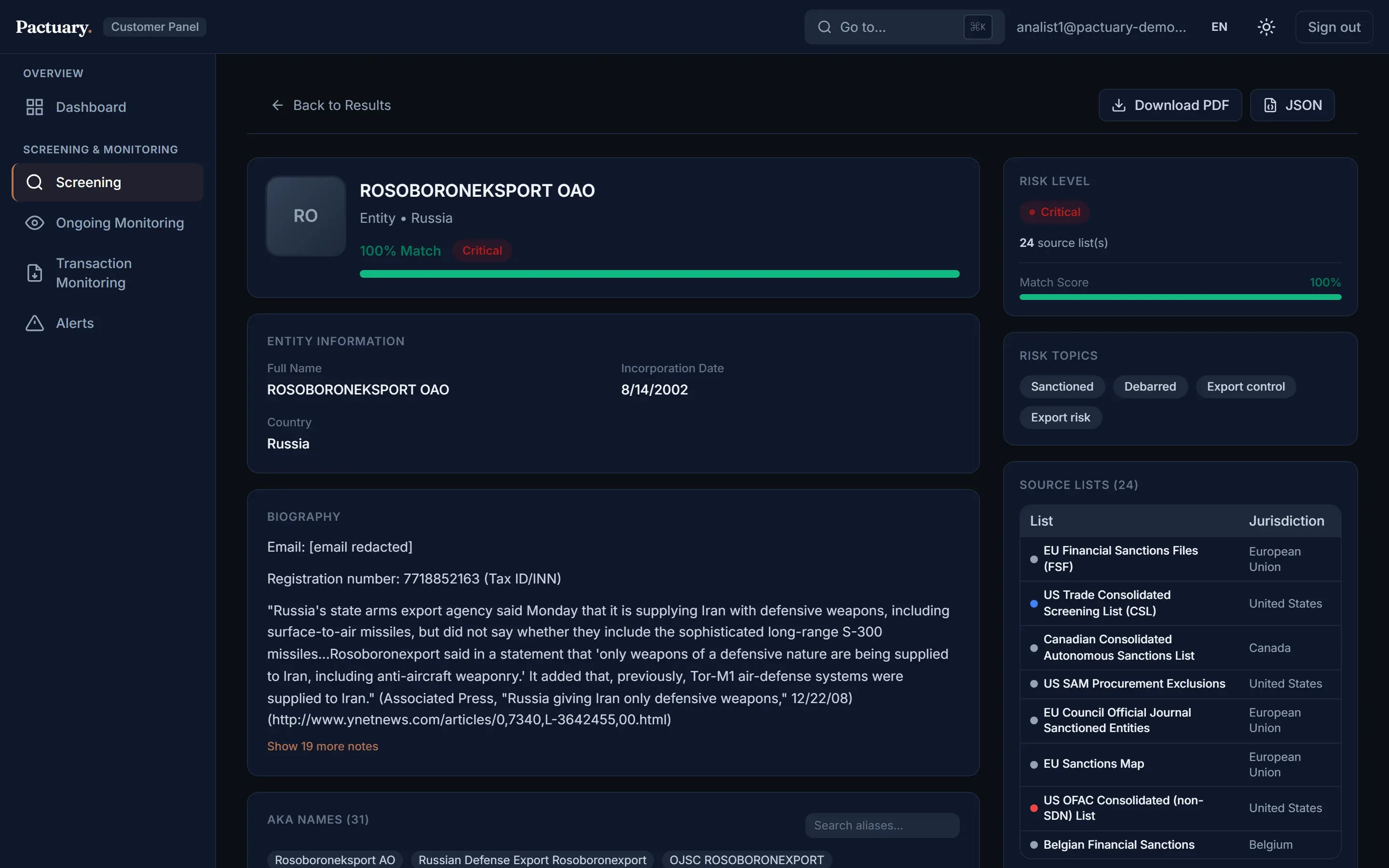
Screening results for a publicly listed sanctioned entityScreening results for a publicly listed sanctioned entity

Demo

A four-eyes decision in 72 seconds

Search, result, entity detail, a reasoned decision, and approval by a second analyst. Recorded on the synthetic demo bank.

The problem

Screening is easy to do. It is hard to defend.

Without a system

  • Lists are downloaded by hand and go stale between downloads.
  • A list source that was down reads as "no match", and nobody notices.
  • Approvals happen over email, and the reasoning gets lost.
  • Common names flood analysts with false positives.

With Pactuary

  • Live sanctions and PEP data, plus the institution's own internal lists, in one search.
  • Every source reports its own status; a failed source is shown, never hidden.
  • Each decision has a written reason, an optional second approver and a snapshot of what was seen.
  • Risk comes from what a record is, and earlier false-positive decisions are remembered.

Modules

One workflow from first search to audit file

Name & PEP screening

People and companies are screened against live OpenSanctions data and the institution's internal lists in parallel. Results show the risk level, topics, match score and the exact source lists. The risk level comes from what the record is (sanction, crime, PEP), not from how similar the name looks.
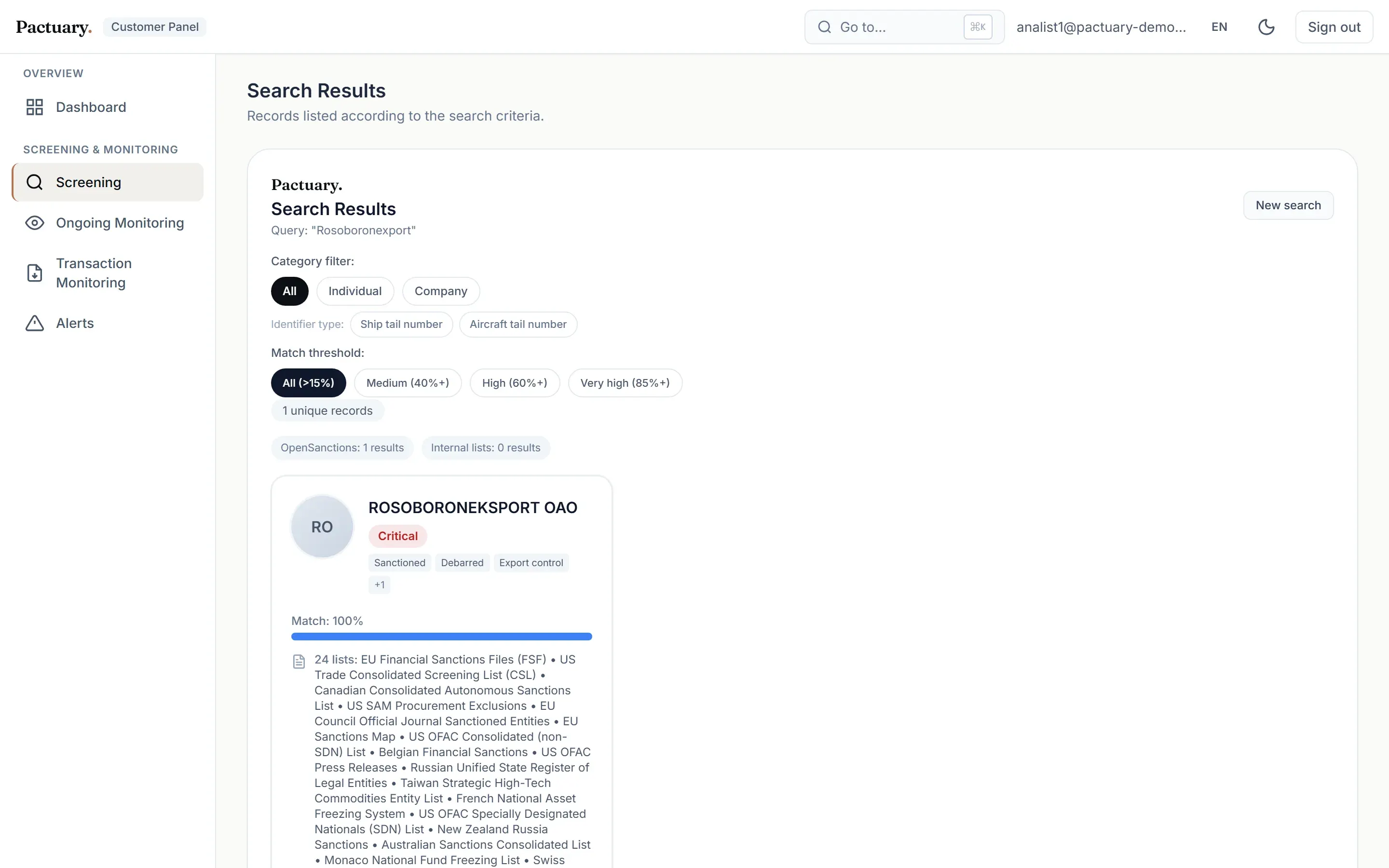
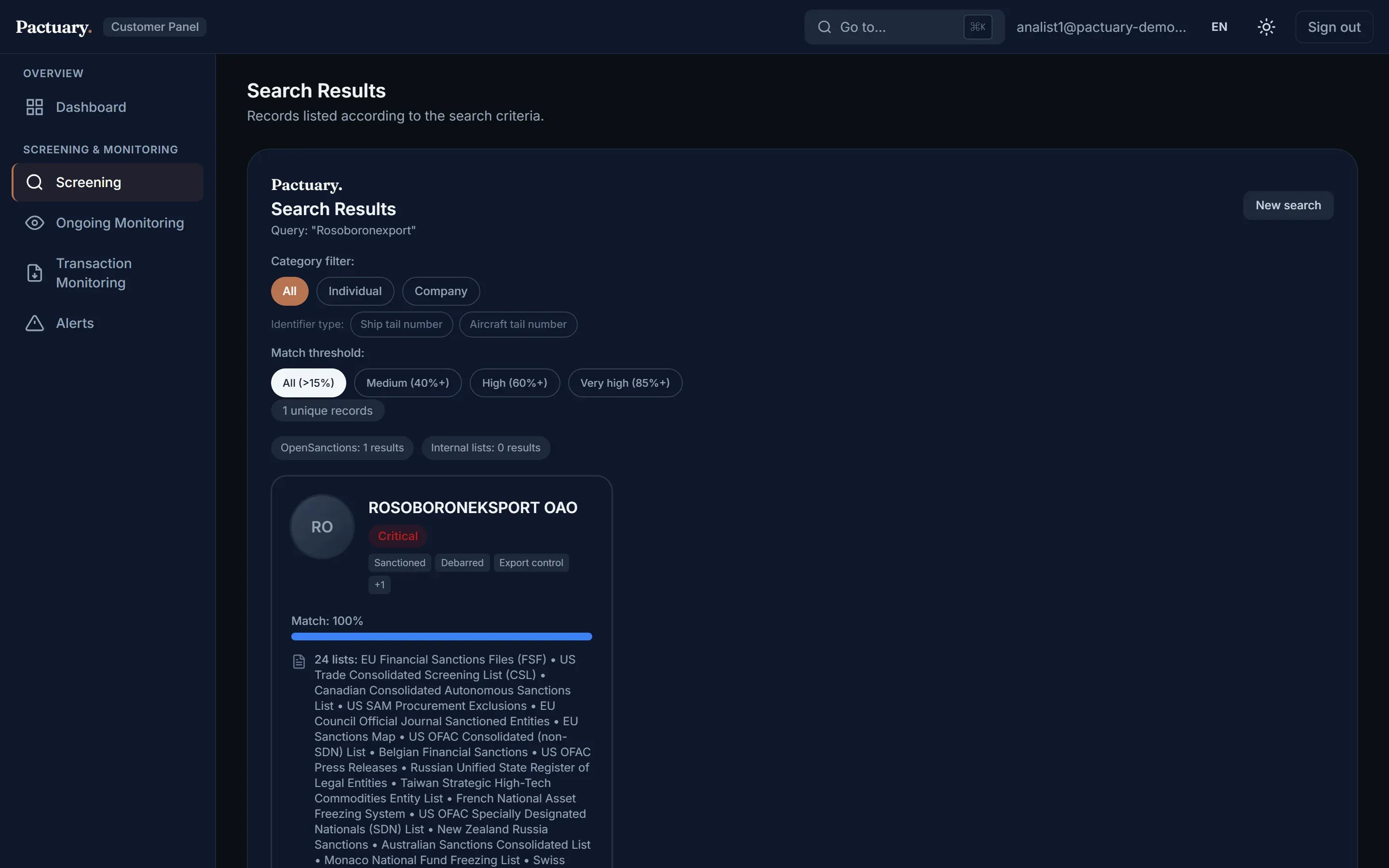
Screening results with risk badges and source listsScreening results with risk badges and source lists

Entity detail & decisions

Aliases, identifiers, sanctions programmes and source documents on one page. The analyst records a true match, a false positive or an escalation, and a reason is always required.

Entity detail page with the decision formEntity detail page with the decision form

Batch screening

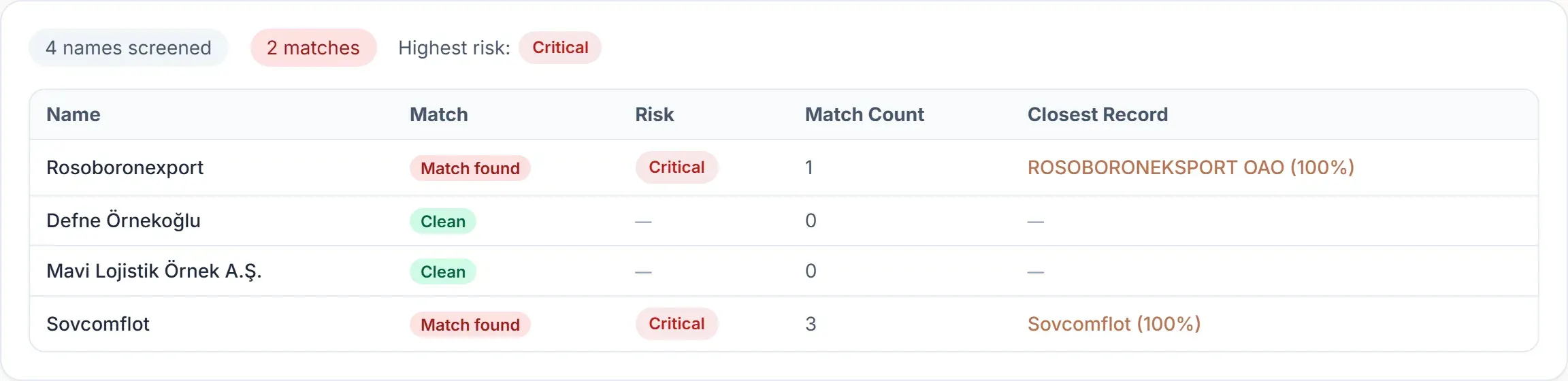
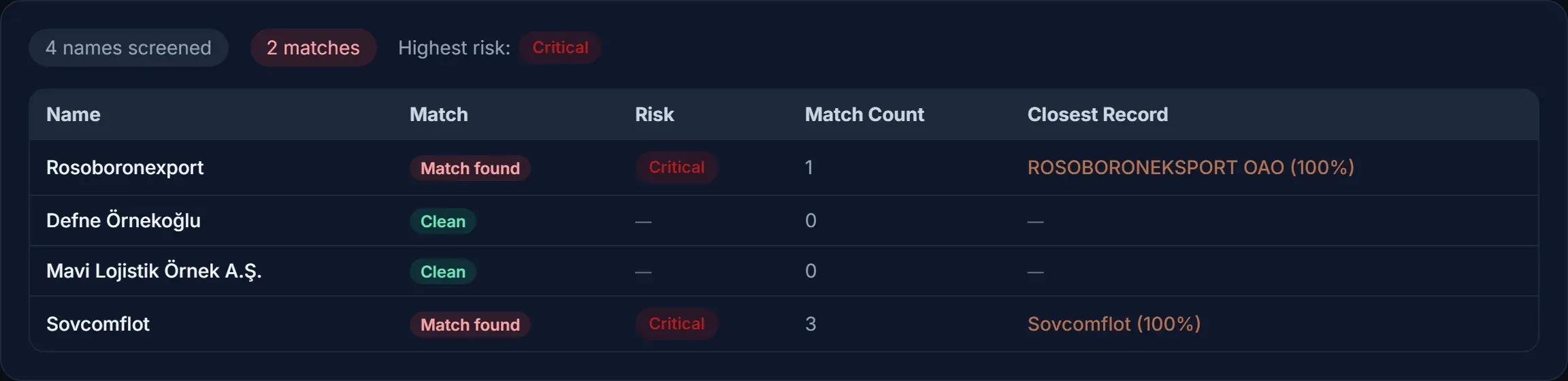
Up to 100 subjects in a single request, with optional birth year and country to sharpen matching. A whole portfolio gets screened in seconds.

Batch screening resultsBatch screening results

Transaction monitoring

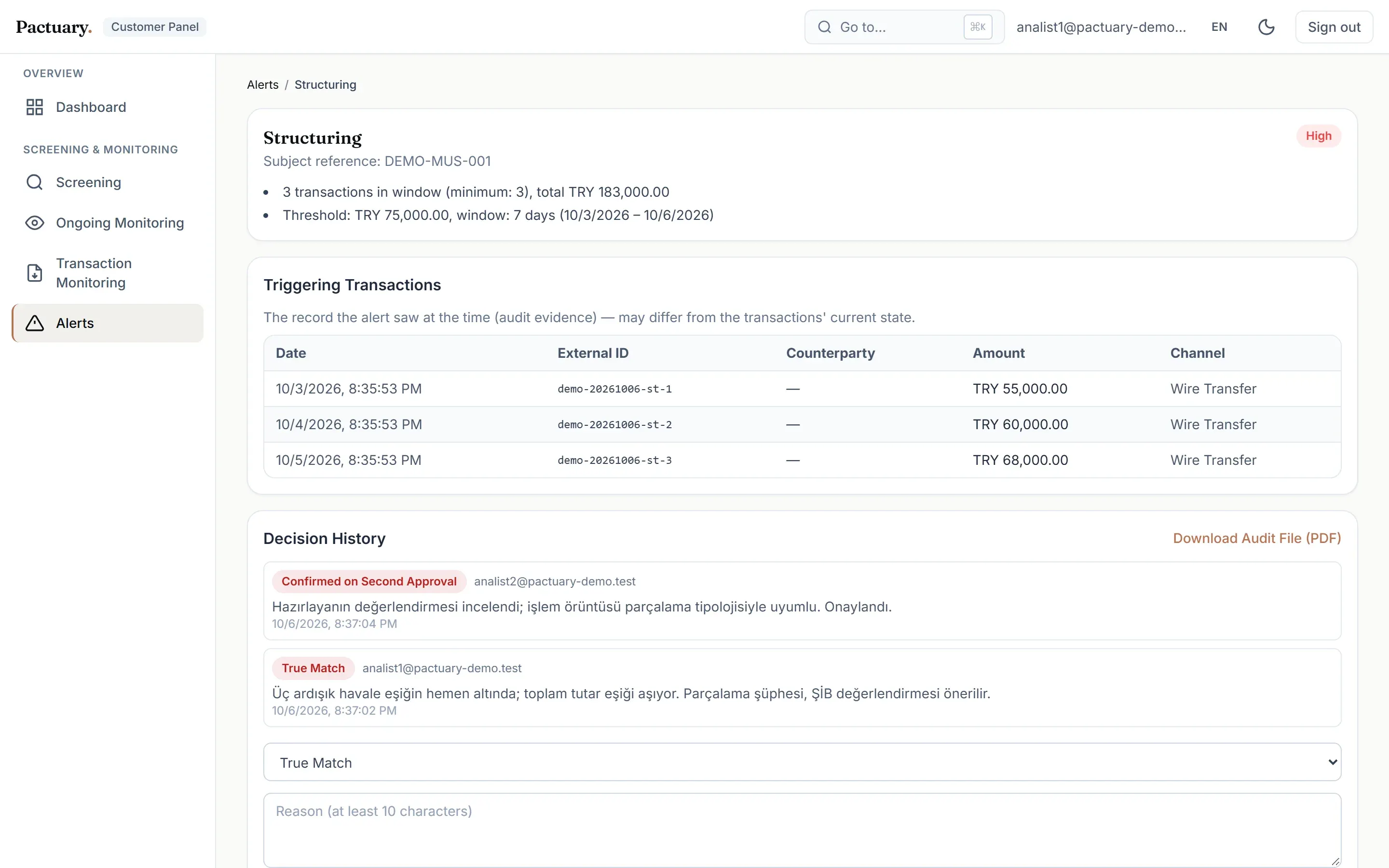
Five typologies: single-threshold breach, high-risk country (FATF lists), counterparty sanctions/PEP match, structuring and velocity. Real-time rules run on ingest; pattern rules run every night. TCMB exchange rates are applied, and a missing rate is never guessed.

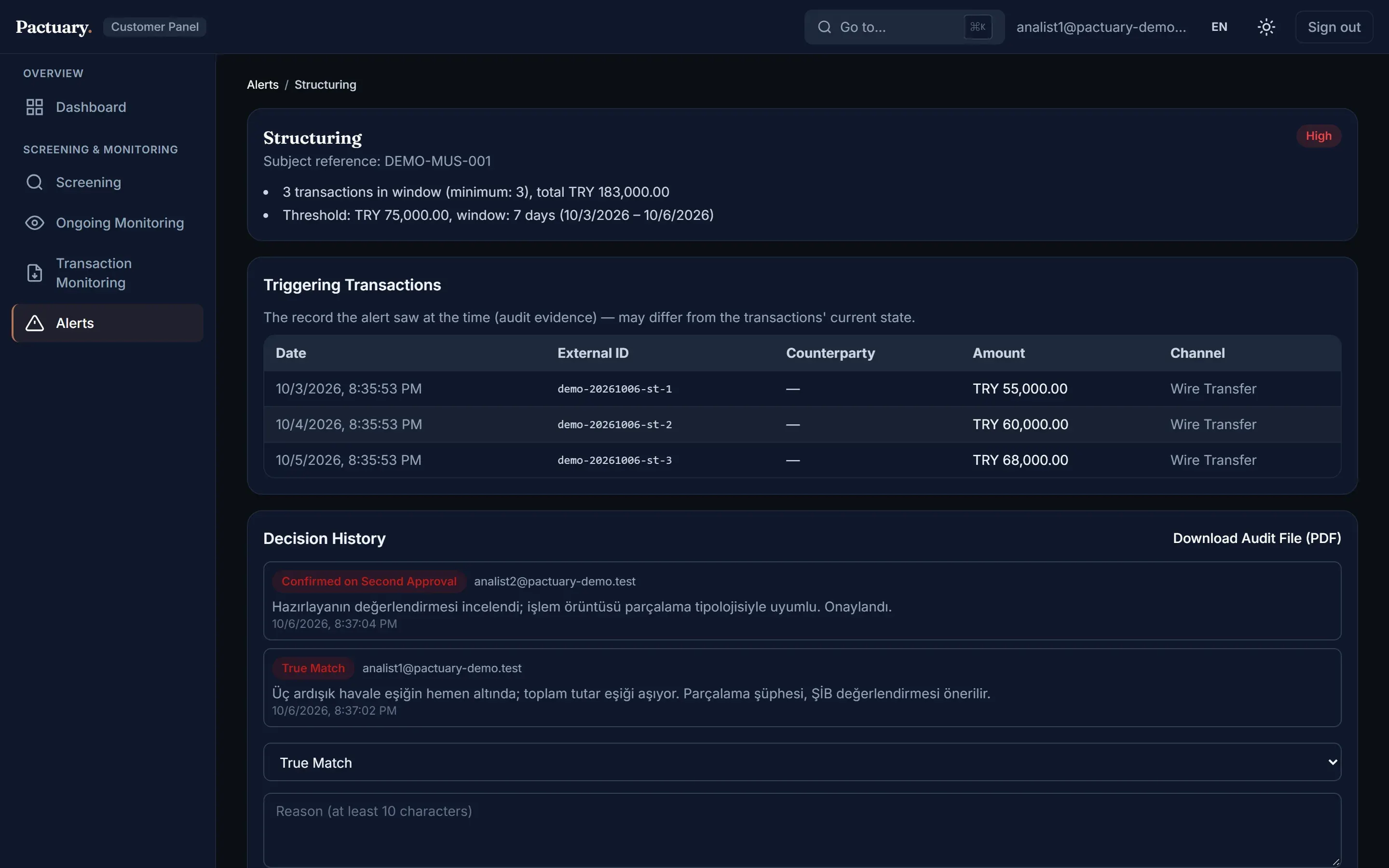
Structuring alert with triggering transactions and decision historyStructuring alert with triggering transactions and decision history

Alert & case management with four-eyes

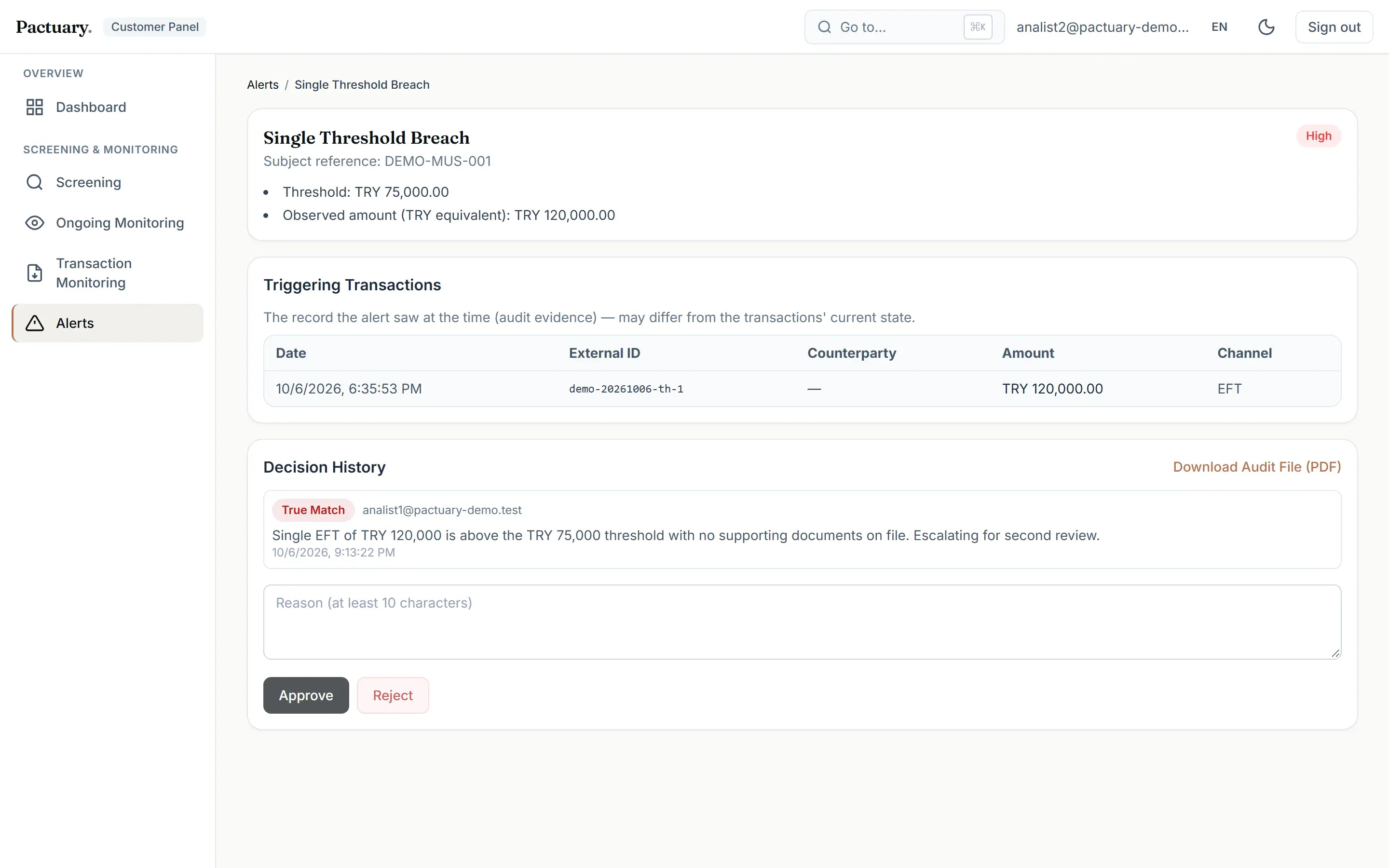
Monitoring and transaction alerts share one inbox. With four-eyes on, a true match waits for a second, different analyst, and self-approval is rejected by the system.

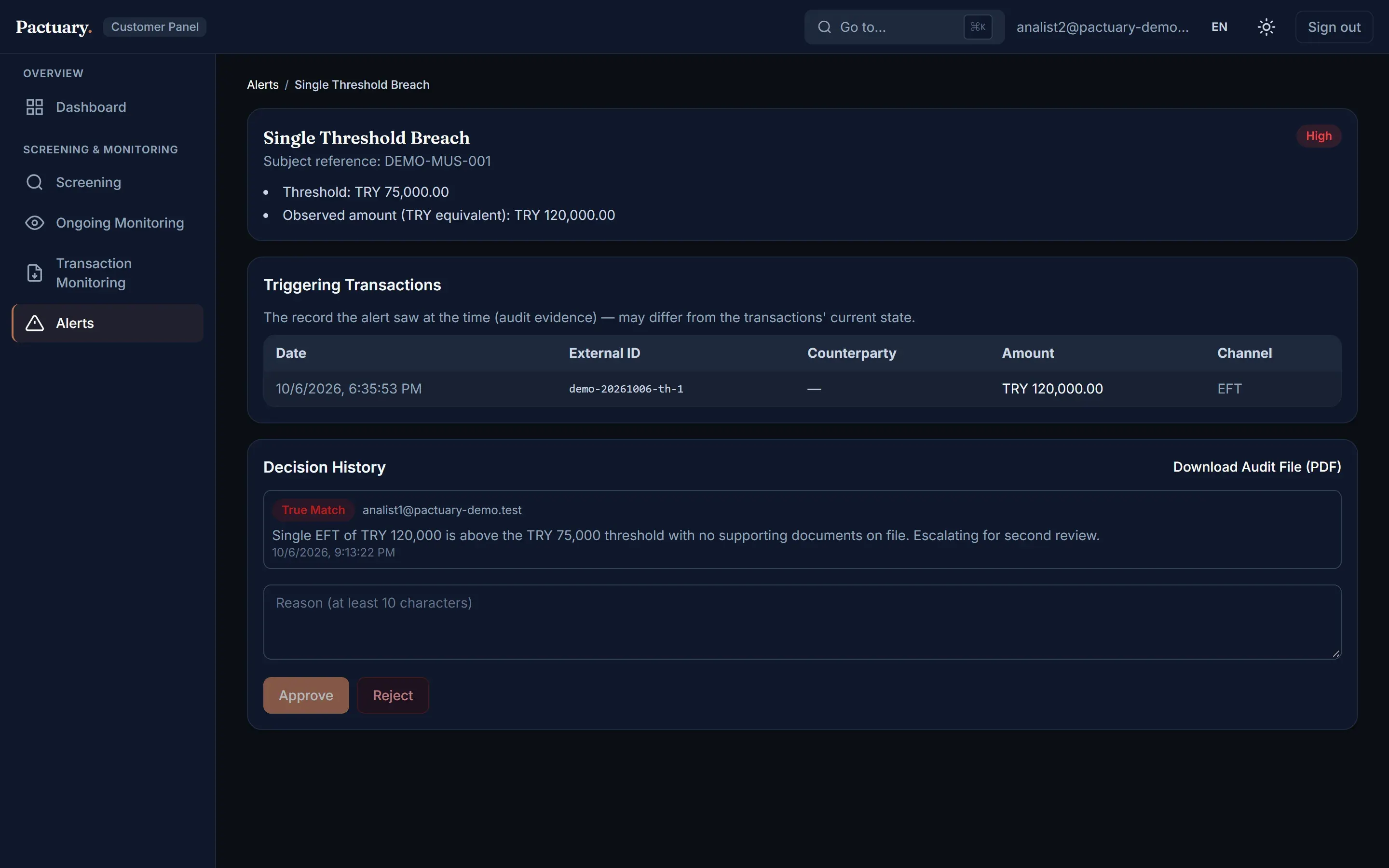
Alert waiting for second approvalAlert waiting for second approval

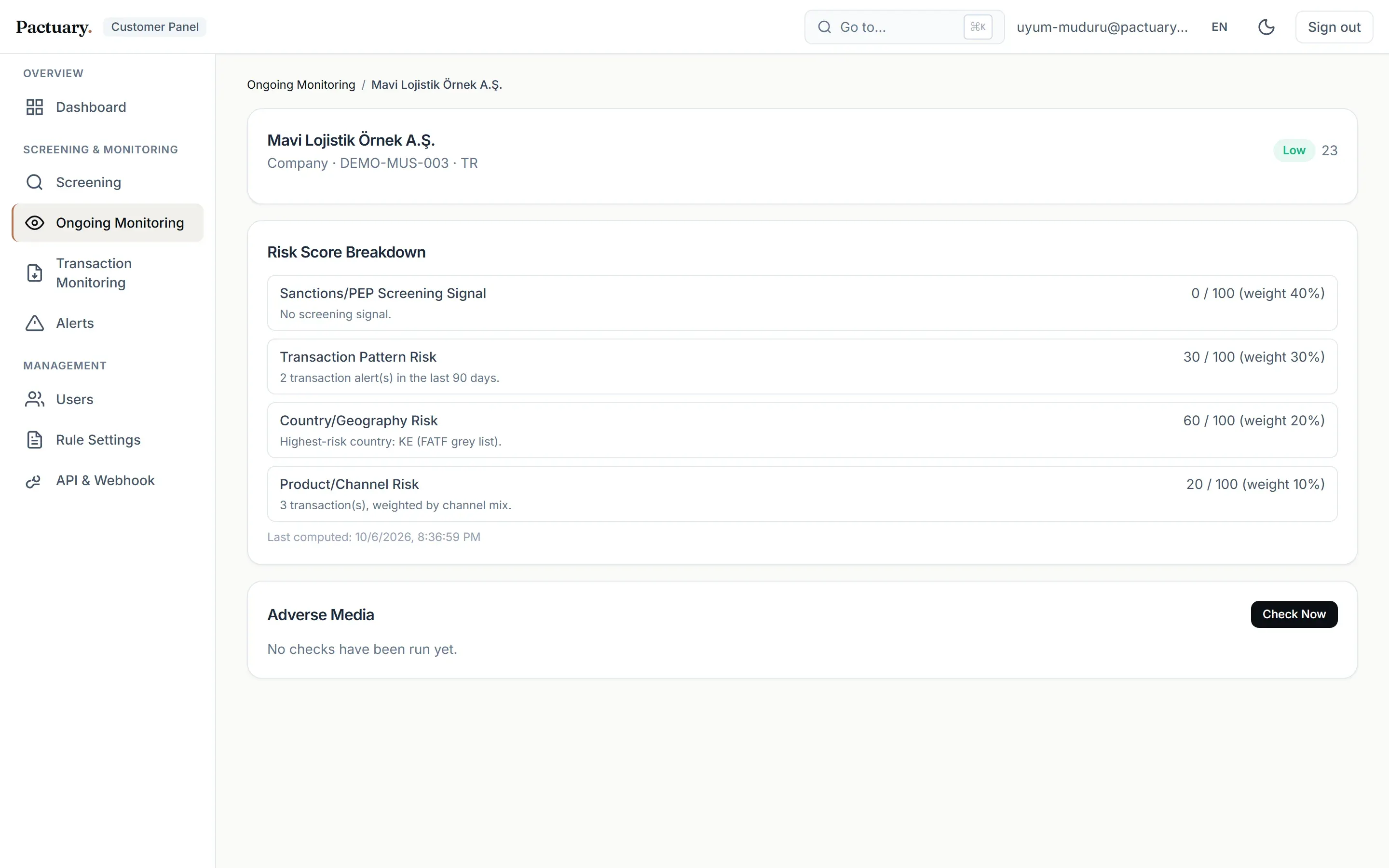
Customer risk scoring

A 0–100 score from four weighted factors (screening signal, transaction pattern, country and channel). Each factor shows its reason, so the score can be explained.

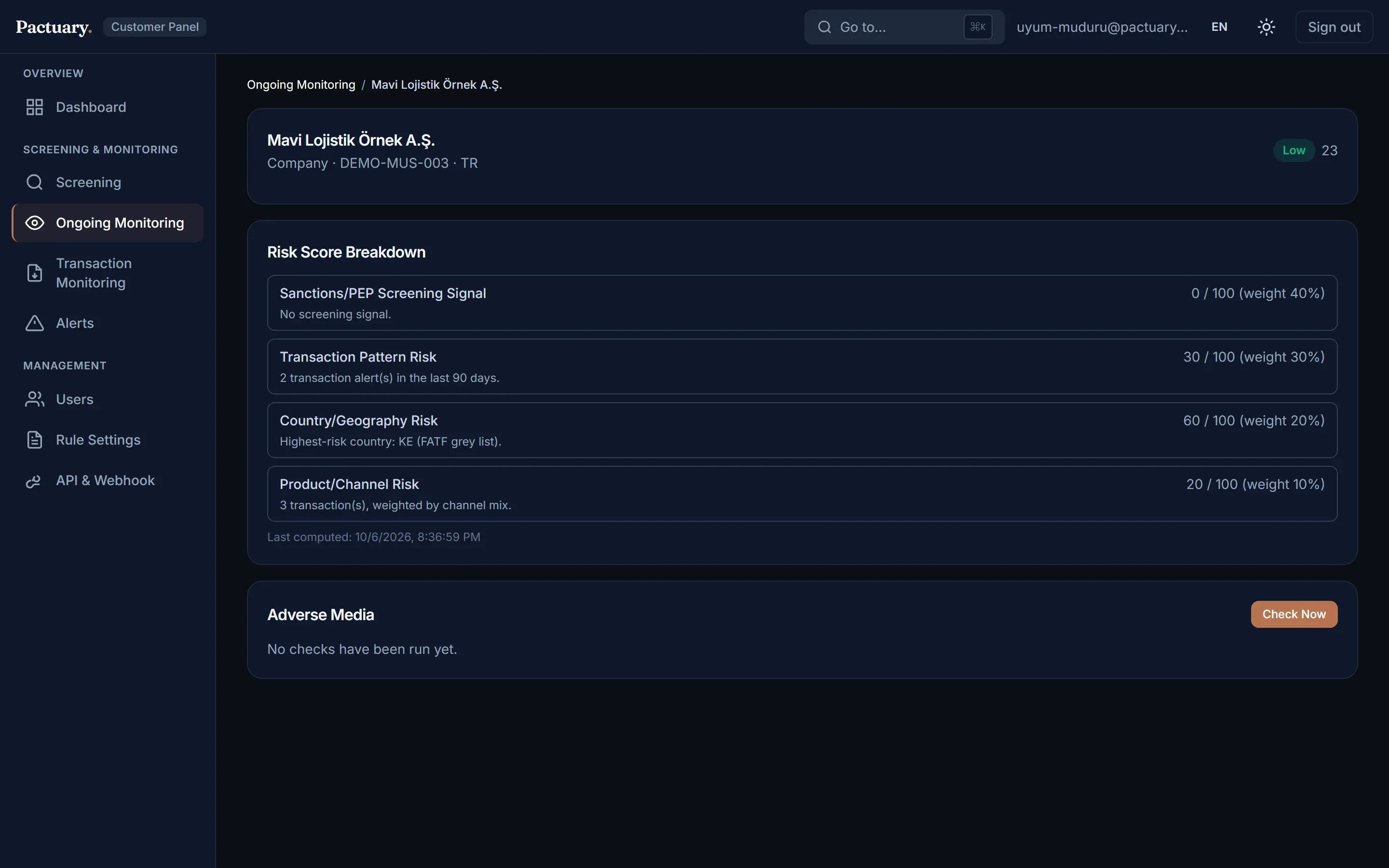
Risk score breakdown for a monitored companyRisk score breakdown for a monitored company

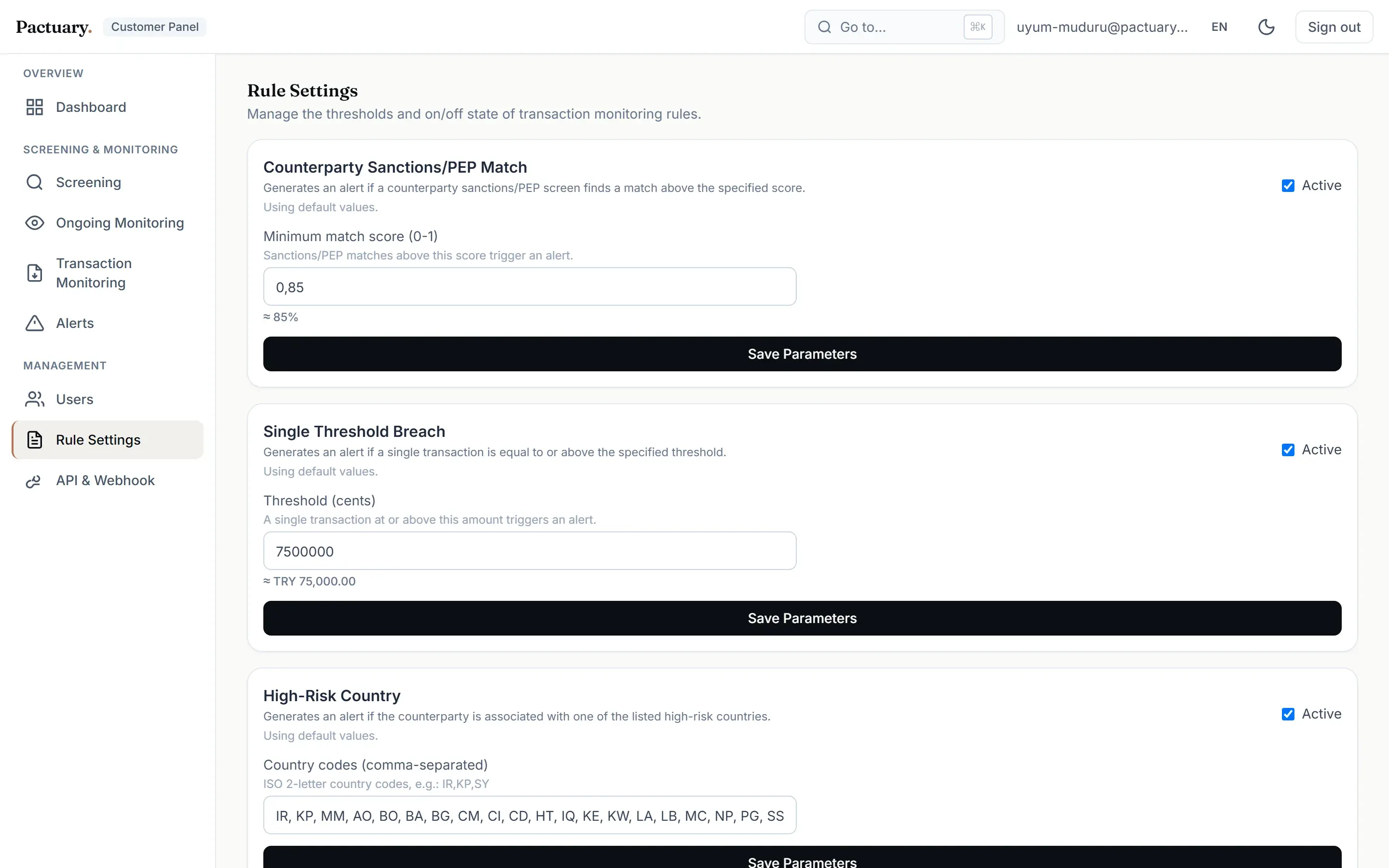
Configurable rules

Each typology can be switched on or off and tuned per institution. Invalid settings fall back to safe defaults, so a broken setting never silently turns a rule off.

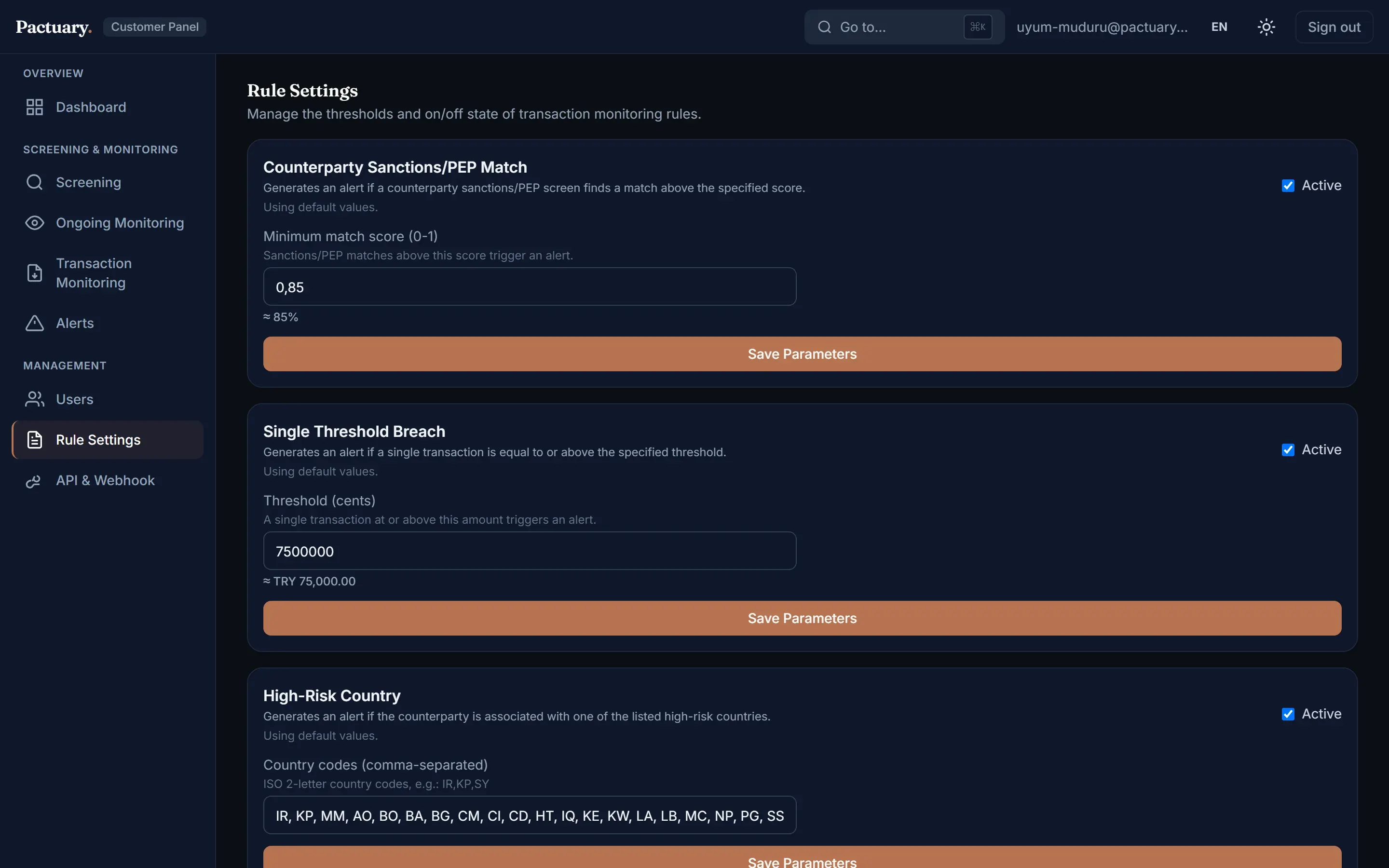
Rule settings pageRule settings page

Also included

Ongoing monitoring

The portfolio is re-screened every night; only new matches raise alerts.

Audit trail & PDF

Append-only decisions with snapshots and a one-click audit file per case.

API & webhooks

Scoped API keys for screening and transaction ingestion, plus HMAC-signed webhooks.

Multi-tenancy

Company-level isolation, three roles and separate quota pools per module.

Adverse media

Provider-ready (stub): the interface, data model and screen are built; no news vendor is connected yet.

KYC / CDD

On the roadmap.

How it works

From a name or a transaction to a defensible decision

IngestUI · batch · APIScreenevery source reportsstatusEvaluate5 typologies · riskscoreDecidereason requiredProveappend-only · snapshot· PDFa source fails → incomplete, never clearfour-eyes: a different analyst approves
  1. Ingest

    An analyst searches, a portfolio is uploaded, or a core system posts a transaction over the API.

  2. Screen

    Sources are queried in parallel; each one reports its own status and latency.

  3. Evaluate

    Typology rules and risk scoring turn matches and patterns into prioritised alerts.

  4. Decide

    An analyst records the decision and reason; with four-eyes on, a second analyst approves it.

  5. Prove

    The decision, its snapshot and the audit file stay unchanged for the auditor.

Compliance by design

Principles enforced in code, not in a policy document

Empty result ≠ clear

Each source reports its own status. If every source fails, the API returns an error, never an empty list. A rule that could not run is reported as unavailable.

Four-eyes

Per institution, a true match needs a second approver, and the same person cannot approve their own decision.

Append-only decisions

Decisions are never edited. A change is a new record that points to the old one, with a snapshot of the data at decision time.

Risk-based approach

Every customer has an explained 0–100 score, and country risk follows the FATF black and grey lists.

Topic-based risk levels

A sanctions record is critical even with a modest name score; a PEP is medium even with a perfect one.

No invented exchange rates

Without a TCMB rate, a transaction waits as "pending FX" and amount rules run once the rate arrives.

Designed around MASAK and FATF requirements. Not a certification and no compliance guarantee: thresholds such as TRY 75,000 are starting values each institution should validate.

Matching benchmark

Measured, and reported as measured

100 labelled queries ran through the product's batch screening path (OpenSanctions /match, threshold 0.7, sanctions collection) in October 2026.

100%Recall50 of 50 sanctioned names and variants caught, all matched to the correct entity
80.6%PrecisionShare of hits that were real sanctioned entities
24%False-positive rate12 of 50 clean names hit a list

Where the hits came from

Canonical sanctioned names25 / 25
Spelling, Turkish and name-order variants25 / 25
Common real-world names (clean)12 / 25
Invented names (clean)0 / 25
  • Every false positive came from a common name with a real namesake on a list, for example "Mehmet Kaya".
  • Queries used the name only. Date of birth or nationality should reduce false positives, but that effect was not measured.
  • The sample is small, so treat these numbers as indicative.

Security & architecture

Boring where it matters

Server-verified sessions

Every API request verifies the JWT on the server; unverified cookie reads are not used.

Hashed, scoped API keys

Keys are stored as SHA-256 hashes, shown in full once, scoped to an action and revoked without deletion.

Tenant isolation

All queries are scoped by company. Database row-level security denies direct data-API access.

Race-free quotas

Quota is checked before any paid call and deducted with conditional SQL, so concurrent requests cannot overspend.

Resilient data client

Timeouts, retries with backoff and jitter, Retry-After support, a TTL cache and request coalescing.

Closed by default

Scheduled jobs refuse to run without their secret, and the health check reports the missing configuration.

Stack

Next.js 16React 19TypeScript strictPostgreSQLPrismapg_trgm + unaccentSupabase AuthVitestPlaywrightVercel
848passing tests
88%line coverage (business logic)
2languages, light & dark

Developer API

Screen from your own systems

Send a name with optional birth date and countries. Every response says which sources answered, so your system can tell "clear" from "incomplete". The example uses a fictional customer and a fake key.

RequestPOST /api/v1/screening
POST /api/v1/screening
Authorization: Bearer sk_test_EXAMPLE_ONLY_not_a_real_key
Content-Type: application/json

{
  "name": "Defne Örnekoğlu",
  "birthDate": "1987",
  "countries": ["TR"],
  "category": "individual"
}
Response · 200application/json
{
  "results": [],
  "total": 0,
  "totalRelation": "eq",
  "highestRisk": null,
  "providers": [
    { "provider": "opensanctions", "ok": true, "resultCount": 0, "latencyMs": 184 },
    { "provider": "local", "ok": true, "resultCount": 0, "latencyMs": 289 }
  ],
  "remainingQuota": 4210
}
If every source fails · 502application/json
{
  "error": "…",
  "errorCode": "TIMEOUT",
  "providers": [
    { "provider": "opensanctions", "ok": false, … },
    { "provider": "local", "ok": false, … }
  ]
}

FAQ

Questions

Where does the sanctions data come from?

From OpenSanctions, queried live through its hosted API. The default scope is 95 sanctions lists, including OFAC SDN, the UN Security Council list, EU and UK sanctions and the MASAK asset-freezing list. Institutions can add their own internal lists.

Is Pactuary MASAK-certified?

No. It is designed around MASAK and FATF requirements, but no certification exists for this kind of tool and none is claimed. Each institution validates thresholds and procedures with its own compliance function.

How are false positives handled?

Risk comes from what a record is, not the name score. Optional birth year and country sharpen matching, and a false-positive decision is remembered, so the same record is excluded next time for that subject.

What happens when a data source is down?

The analyst sees which source failed. If every source fails, the request returns an error instead of an empty list, because an empty list would read as "clear".

Is adverse media included?

The adverse media module is provider-ready: its interface, data model and screen exist, and it shows sample data until a news vendor is connected.

Can I see the source code?

The repository is private. I am happy to walk through the code and the design decisions in an interview.

How much does it cost?

Pricing is not published. Contact us for a demo and a conversation about your volumes.

See it on your own scenarios

A 30-minute walkthrough: screening, a structuring alert, the four-eyes flow and the audit file. Pricing: contact us.